How OneTime works
Record your day.
Review the pattern.
OneTime goes beyond a timer that ends with a single measurement. It connects activity sessions into a daily flow and longer-term statistics, giving you evidence for choosing what to try next.
01 · Record
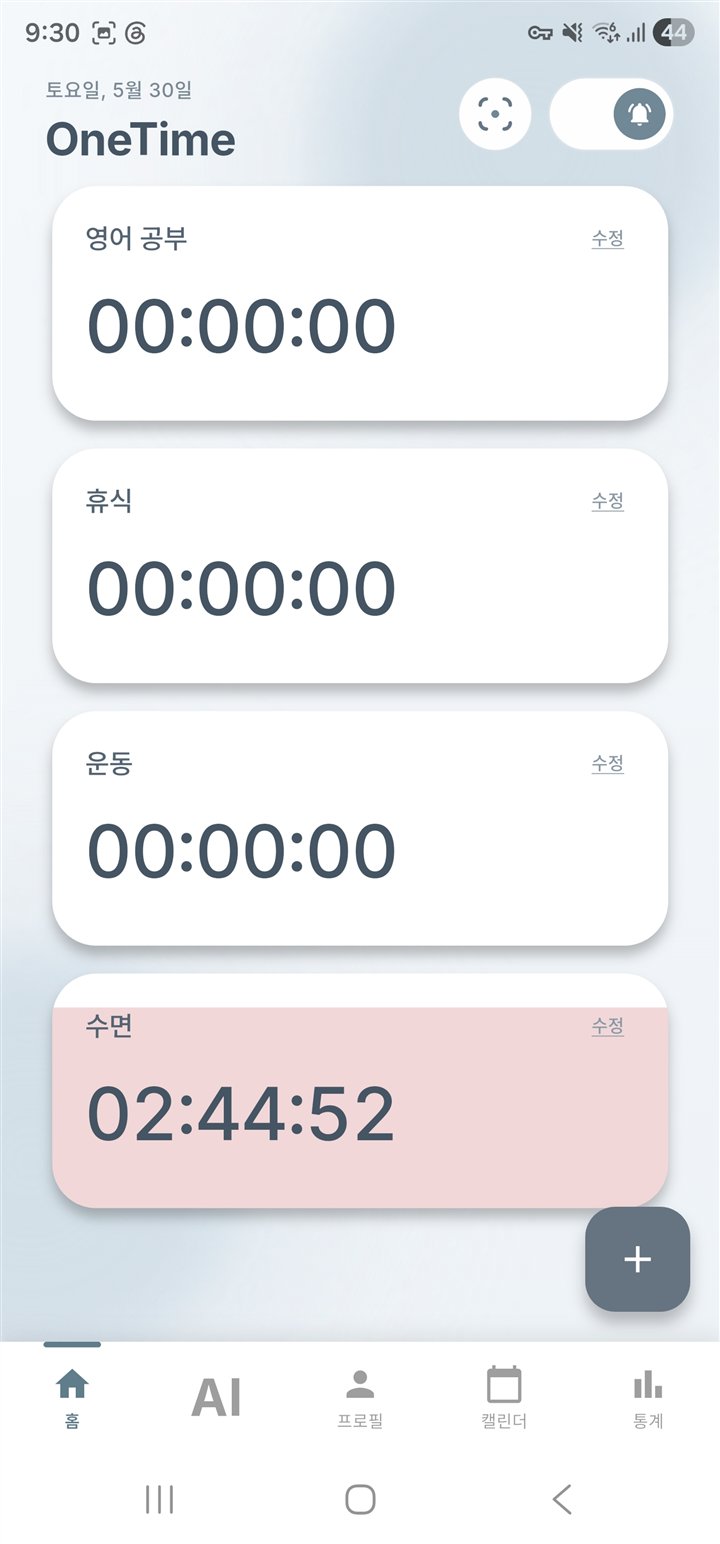
Record what you are doing with one tap.
On the home screen, tap a custom activity such as study, work, exercise, or rest. When your activity changes, choose the next one to continue the flow.
The goal is not perfect data entry. It is a simple record of real behavior that is easy enough to keep using.
02 · Review
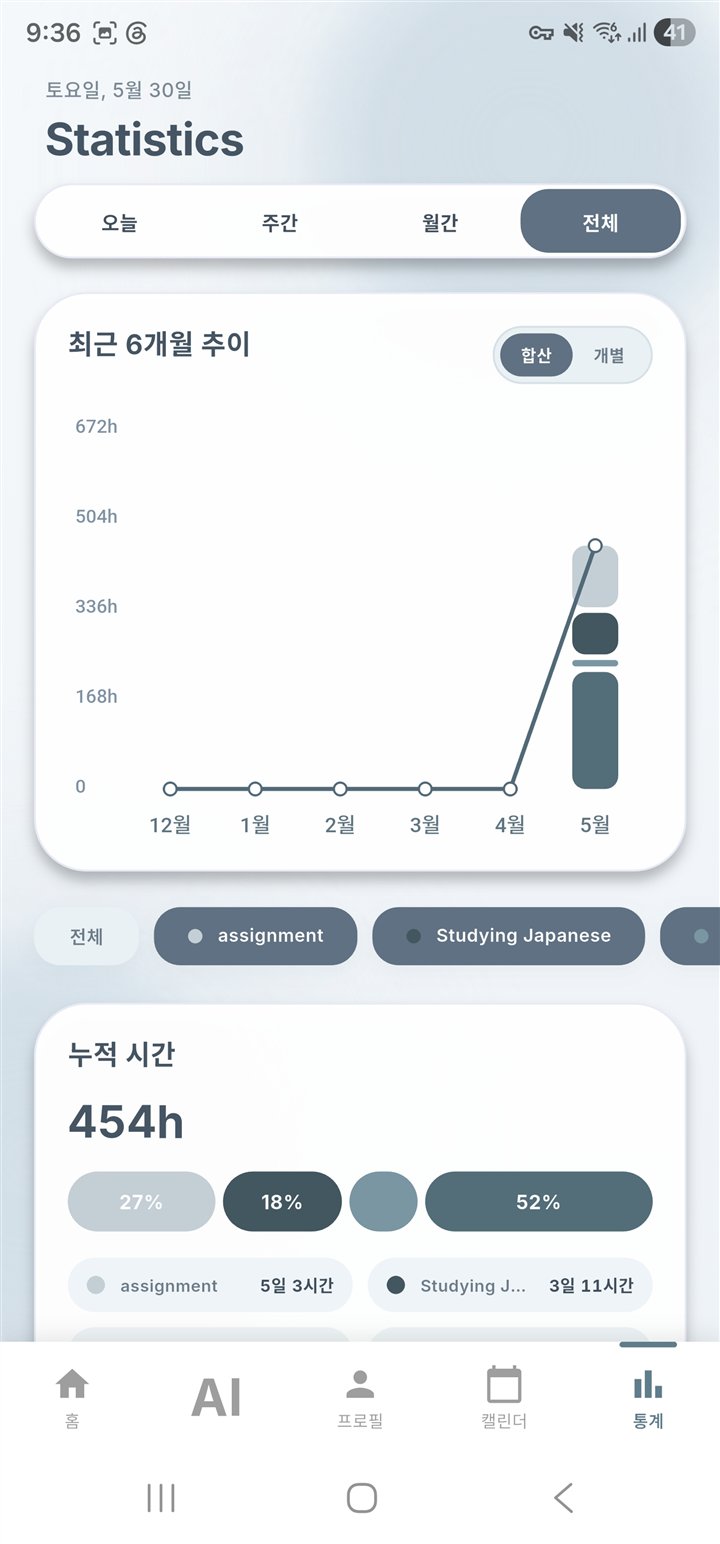
Review records as a daily and longer-term flow.
Your activity sessions become a daily timeline and weekly, monthly, and all-time statistics. You can compare how much time went to each activity and how that distribution changed.
Statistics are observations, not a score of your worth. An unexpected result or a lightly recorded day can still be useful context for your next decision.
03 · Ask
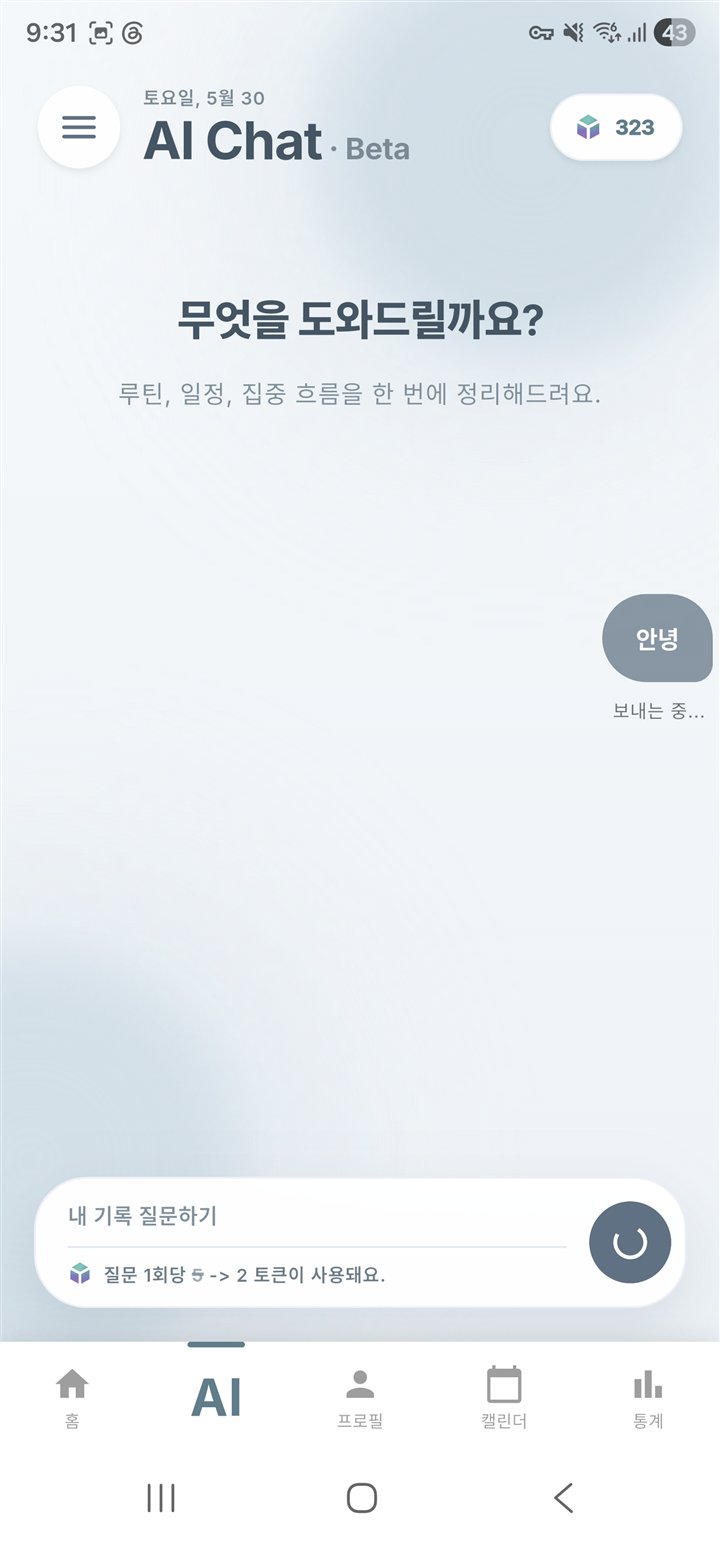
Ask AI Chat questions about your records.
AI Chat is a separate beta feature for interpreting records and continuing with follow-up questions. You might ask about the difference between today and yesterday or a time of day when an activity often appears.
AI responses are not diagnoses or guaranteed instructions. Treat them as record-based reference information, check them against your real situation, and review current access and token conditions in the app.
One small record